Building your Documents
Please wait while we work our magic.
Add Career Kickstarter to your Home Screen
Save Career Kickstarter to your phone so it opens and feels more like an app.
Once it is installed and opened from your Home Screen, this message will stop appearing.
Hi there
It’s great to see you back. Remember to
Kick Fears.
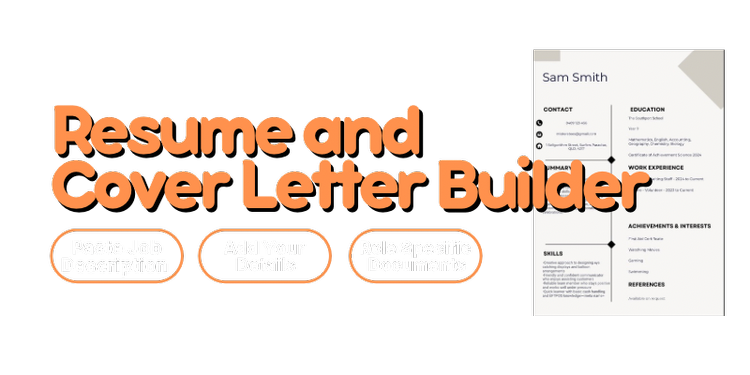



Craete a new resume and coverletter for each job you apply for. Doing this will customise the documents to that specifc job and align your skills with the key requirements for that job.
Step 1 of 4
Quick Start
Start with the basics and choose your style.
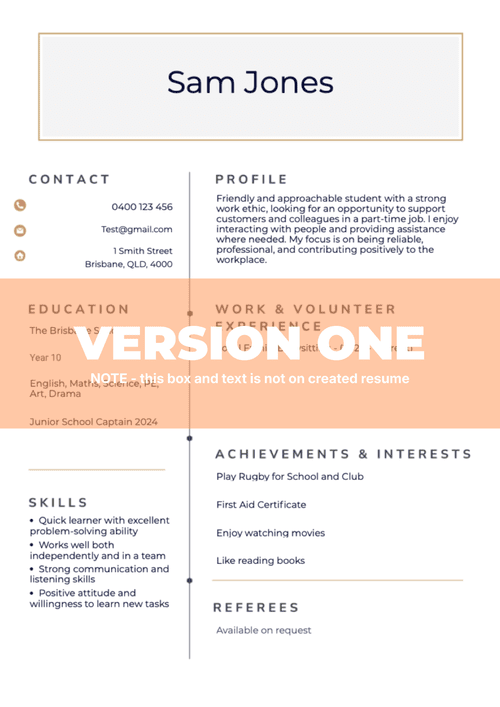 Version One
Pink sidebar - Classic
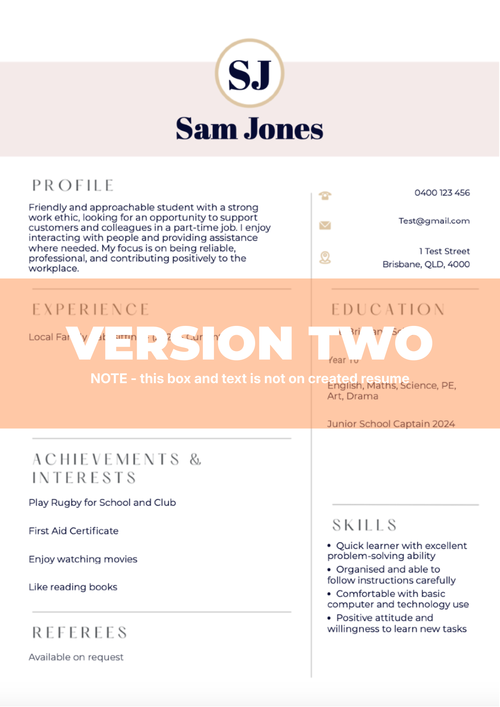 Version Two
Initials header
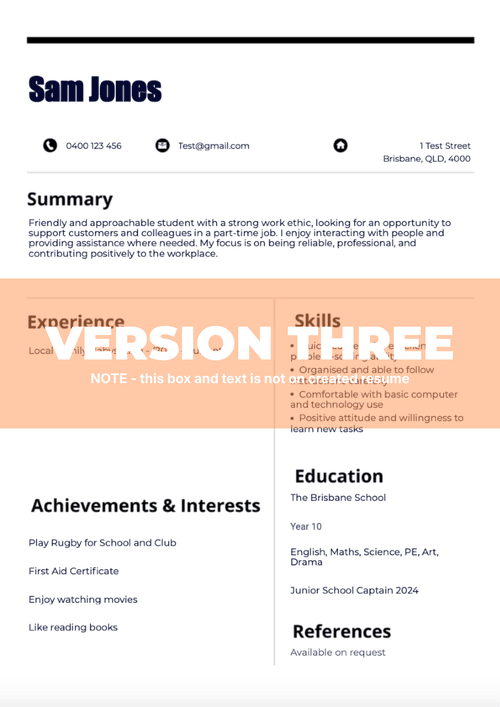 Version Three
Top bar - Two-column
 Version Four
Photo focus
 Version Five
Diamond accents
Step 2 of 4
About You
Add your strengths, subjects and school highlights.
Skills
Select skills that you feel that you can bring to this job.
Achievements and Interests
Add any course certificates achieved and/or just things you like doing.
Add the subjects that you are currently doing at school.
Is there any school specific achievements you want to call out? School Captain, Subject Awards etc.
Maximum 55 charactersStep 3 of 4
Experience
Copy and Paste the job advertisment listing below or explain what the job is and where? Using the job listing data will give you a better outcome and align your documents with the job.
Work / Volunteer Experience
Simply type into the boxes below details around any work or experience you have done previosuly - we will structure these for you. Add most recent at the top.
Step 4 of 4
Final Details
Finish with a couple of last details.
Your current school
Your home address
Step 5 of 5
Add Initials
Version Two uses initials in the design.
Step 5 of 5
Upload Image
Version Four includes a profile image area.
Welcome to Get Interview Ready — your AI avatar interviewer that levels up your game for the real deal.
Practice makes pros. Athletes lock in reps, gamers grind matches, musicians run sets — because real confidence hits when you’ve already faced the heat.
Interviews? Same energy. Our AI pulls job-specific questions straight from the ad, description, or your notes. It hits you with follow-ups and curveballs, just like the actual interviewer.
More rounds = more locked in. You’ve got the skills — now let’s make sure you show them without sweating it.
Ready to Kick Harder? Drop your job details and let’s go

Starting your first job can feel like a big step, but you do not have to figure it out on your own.
The Kickstart Lessons are here to show you exactly what to do, from making a great first impression to handling real situations at work. You will learn the small things that make a big difference, so you can walk in feeling confident, do the job properly, and stand out for all the right reasons.


Practical tips to help you feel more confident about starting work, managing money, understanding your rights, and handling day-to-day work life.
Understanding Dress Codes
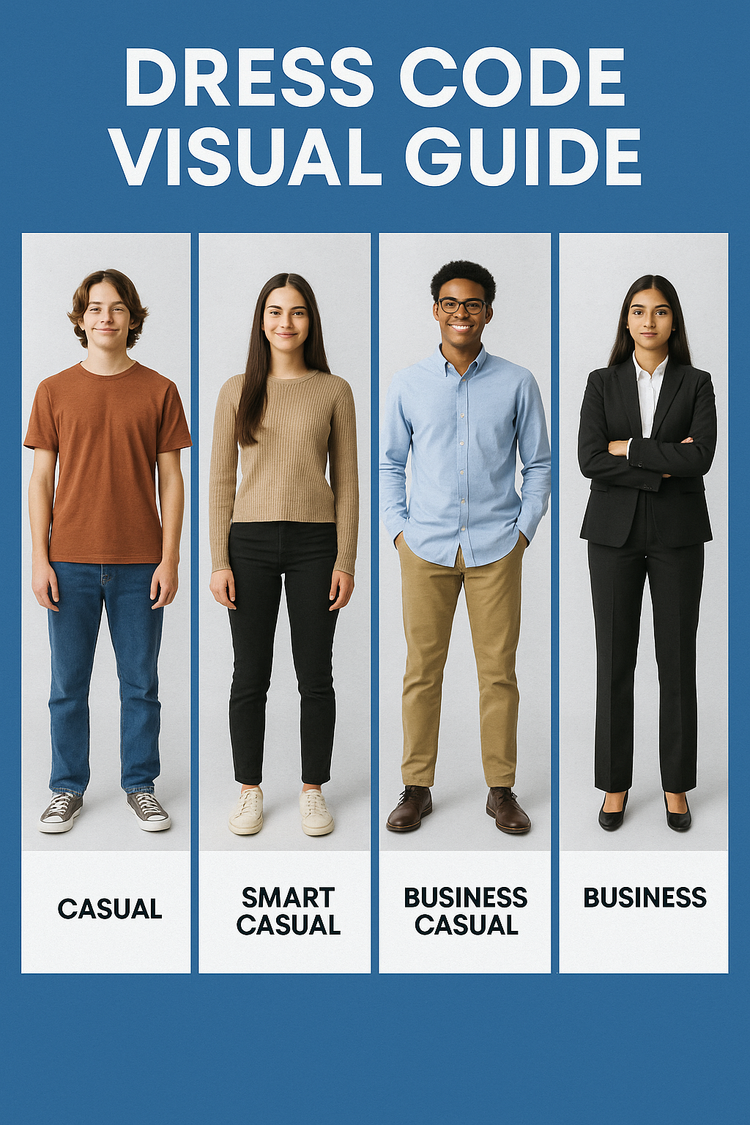
The way you dress says a lot before you even speak. Different workplaces expect different levels of dress, from casual to professional. Understanding these styles helps you choose the right outfit for the job you want, whether it’s your first part-time role or a big interview.
Think of it as showing respect for the workplace and giving yourself confidence to make a strong first impression.
Casual
Comfy and everyday. Think T-shirt, jeans, and sneakers. What you’d wear hanging out with friends.
Smart Casual
A bit tidier than casual. A nice top or sweater with dark jeans or pants, and clean shoes. Great for casual work or meeting someone important but not too formal.
Business Casual
Work-ready but still relaxed. A button-up shirt or blouse with neat pants, not jeans, and proper shoes. What you’d wear for most jobs or interviews.
Business
Full professional look. A suit with a shirt and dress shoes. This is your serious interview or important meeting outfit.
Tax Insights
Learning the basics of tax early can save you a lot of confusion later. When you start working, part of your pay may be withheld for tax, and there are a few key things you need to understand straight away.
The Australian Tax System
Australia has a progressive tax system. The more you earn, the higher percentage of tax you pay. The Australian Taxation Office, or ATO, manages this system.
Income Tax: Paid on wages, investments, and other earnings.
Tax-Free Threshold: The first $18,200 of income you earn in a financial year, from 1 July to 30 June, is tax-free.
More info: www.ato.gov.au/individuals-and-families/jobs-and-employment-types/tax-free-threshold
PAYG, or Pay As You Go: Employers withhold tax from your pay and send it directly to the ATO.
Superannuation: Your employer must also pay an additional percentage into your super fund for your retirement.
Tax Return: At the end of the financial year, you may need to lodge a tax return. If too much tax was taken, you’ll receive a refund. If not enough was taken, you may need to pay the balance.
More info: https://www.ato.gov.au/individuals-and-families/lodging-your-tax-return
What is a Tax File Number, or TFN?
A TFN is your unique personal number used for the tax system. You only ever get one in your lifetime.
It is important because it:
- Ensures the correct amount of tax is withheld from your pay
- Gives you access to superannuation and government services
- Prevents your employer from taxing you at the highest rate
More info: https://www.ato.gov.au/individuals-and-families/tax-file-number
How Teens Can Apply for a TFN
You can apply for a TFN in several ways:
- Online, if 15 or older: Apply on the ATO website. You’ll need proof of identity such as a passport, Medicare card, or birth certificate.
- Apply here: https://www.ato.gov.au/individuals-and-families/tax-file-number/apply-for-a-tfn
- Australia Post: Complete the application online, then verify your identity in person at a participating post office.
- Services Australia, including Centrelink: If you’re under 15, or receiving certain payments, you can apply through Services Australia.
If You Don’t Supply a TFN
- Your employer may need to tax you at the highest rate
- Your super fund may not accept contributions properly
- You could face difficulties later with tax returns, bank accounts, or government services
Working Two Jobs
Many young people work more than one casual job. Here’s how tax applies:
- Tax-Free Threshold: You can only claim this at one job, normally your main job
- Second Job: At your second job, you must answer “No” to the tax-free threshold so enough tax is withheld
- End of Year: The ATO adds up your income from all jobs. If too much tax was withheld, you’ll get a refund. If not enough was withheld, you may owe tax
More info: https://www.ato.gov.au/individuals-and-families/jobs-and-employment-types/tax-free-threshold/multiple-jobs-or-change-of-job
Key Tips for Teens
- Always apply for and provide your TFN before starting work
- Only claim the tax-free threshold at one job
- Keep your TFN private and secure
- Lodge your tax return each year if required
Managing Money
Your first paycheck can feel like a fortune, but it is also the start of building good money habits that can last a lifetime.
Save First, Spend Later
As soon as you’re paid, try moving at least 10 to 20 percent into a savings account. Even $20 a week adds up to over $1,000 a year. Think about what that could mean for you, whether it is new tech, a car deposit, or a holiday.
The Bucket System
Split your money into three categories:
- Needs such as transport or phone credit
- Wants such as clothes, entertainment, or eating out
- Savings for future goals
This makes it easier to enjoy your pay now without wasting all of it at once.
Track Your Spending
Most bank apps let you see where your money goes. If you’re surprised at how much disappears on snacks or streaming, that’s usually a sign to make an adjustment.
Avoid the Debt Trap
It can be tempting to sign up for buy now, pay later services, but they can leave you owing money you do not really have. A good rule is simple: if you cannot pay for it upfront, wait until you can.
Set Goals
Saving is easier when you are working toward something. Write down short-term goals, like shoes or gaming gear, and long-term goals, like a car, laptop, or travel. Then celebrate when you hit them.
Balancing Work and School/Study
Juggling work, school, and a social life can be tricky, but learning how to balance them now builds time-management skills you will use for life.
Be Honest About Your Availability
When you start a job, let your manager know your school timetable and exam dates. Most employers respect young workers who are upfront and organised.
Plan Your Roster
Check your shifts as soon as they are posted. Map them against homework, assignments, sport, and other commitments so nothing sneaks up on you.
Sleep Comes First
Late-night shifts might sound fine until you are exhausted in class the next day. Try to keep a regular sleep routine where possible. Your grades and your health depend on it.
Saying No is Allowed
It can feel awkward to turn down shifts, but it is okay if you genuinely need time for schoolwork, sport, family, or rest. Employers usually prefer honesty over an exhausted staff member.
Use Simple Tools
A diary, phone calendar, planner, or even sticky notes can help you stay on top of deadlines, shifts, and personal time.
Protect Your Downtime
Balance is not just about school and work. You also need time with friends, family, and yourself. Do not feel guilty about protecting your wellbeing.
Work Rights and Responsibilities
When you are starting out, it is easy to think the employer sets all the rules. That is not how it works. In Australia, workers have rights protected by law, and it is important to know them.
Minimum Wage and Junior Rates
If you are under 21, your pay may be based on junior rates, which usually increase as you get older until you reach the full adult minimum wage at 21. That means two people doing similar work may be paid differently because the law sets different age-based rates in some industries.
Penalty Rates and Overtime
If you work nights, weekends, or public holidays, you may be entitled to higher pay, often called penalty rates. Always check your payslip and make sure the hours you worked match what you were paid.
Breaks
You are generally entitled to meal or rest breaks depending on how long your shift is. A typical 4 to 5 hour shift often comes with one break, while longer shifts may come with more. If you are being refused proper breaks, pay attention. That can be a warning sign.
Respect and Safety
You have the right to work in an environment that is safe, respectful, and free from bullying or harassment. Your employer has a legal duty to protect your wellbeing while you are at work.
Safety at Work
No matter how casual the job is, your safety should never be treated as optional. Employers are required to keep you safe, and you have every right to speak up if something is not right.
Training Matters
If you are asked to use equipment such as coffee machines, fryers, ladders, or stockroom tools, you should be shown how to use it properly and safely. If you do not feel confident, ask for more training.
Protective Gear
Some jobs require aprons, gloves, non-slip shoes, or other protective gear. Your employer must either provide this or clearly tell you what you need before you start.
Spotting Hazards
Spilled drinks, broken equipment, loose cords, or cluttered floors may not seem serious, but they can cause injuries. If you see something unsafe, report it straight away.
Mental Safety Matters Too
Safety is not only physical. Bullying, harassment, intimidation, or pressure to work shifts you cannot manage can also create an unsafe workplace. You should never feel threatened or afraid to come to work.
Refusing Unsafe Work
If you genuinely believe a task could put you in danger, you have the legal right to refuse it until it is made safe. You cannot be fired or punished for raising a real safety concern.
Getting Support
If your employer does not listen, you can get help through Safe Work Australia or Fair Work.
Safe Work Australia: www.safeworkaustralia.gov.au
Populate previous data?
We found saved details on this device. Select which sections you want to auto fill.
Saved on this device only. You can still edit any field after it is filled.